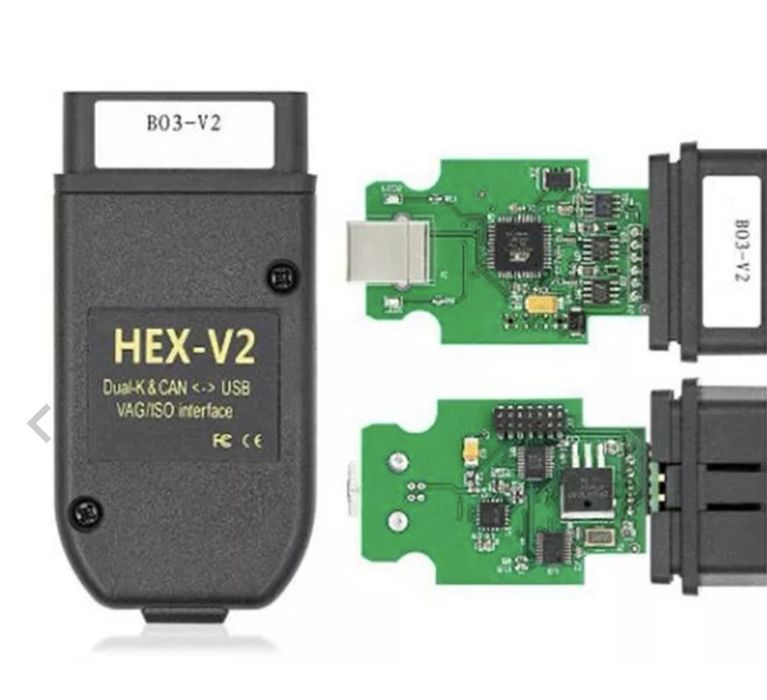
Zapraszam do pobrania VCDS!
Osobiście sprawdziłem pliki i program.
Sam używam z HEX-V2 na ATMEGA 162
z Windows 7 x32
Antywirus potrafi usunąć Loadera! Wyłącz go.
Instrukcja instalacji VCDSLoader :
1. Download VCDS XX.XX.X
2. Run VCDS-Release-XX.XX.X-Installer.exe
3. Install by following the setup wizard
3.1. If you're on Win 8.1/10 - select "Fix Windows HID..."
3.2. If you're on 64-bit Win - select "Install 32-bit EXE on 64-bit System"
3.3 Deselect "Create Start Menu Shortcut"
3.4 Deselect "Create a Desktop Shortcut"
4. Deselect "Run VCDS Release XX.XX.X" at the end of the install!
5. Copy VCDSLoader.exe to install folder
6. Launch VCDS XX.XX.X only by using VCDSLoader.exe!
6.1 Create a shortcut on your desktop for VCDSLoader.exe
Instrukcje testowania i flashowania urządzenia HEX-V2:
Before continuing check if the cable uses ATmega162 chip! Others are not supported
1. Plug in your cable into USB & CAR! (or 12V source)
2. Navigate to VCDSLoader
3. Launch VAGCOM_HWType.exe
4. Click "Read"
4.1. If your cable has the bootloader unlocked - the tool will show that it's enabled
5. Launch VAGCOM_EEWriteLang.exe
6. Select "English" (should be selected by default)
5.6. Click "WRITE"

You can test your cable now by keeping it plugged into your car and launching VCDSLoader.exe
1. Click "Options" -> Leave "USB" Selected -> "Test"
2. If the test was successful - Click "Save"
3. You should be able to connect to your car and view/code!